
Document Insight for Intelligent Document Processing
Instant Insights From Every Document in Salesforce
Document Insight uses AI to extract structured data from uploaded documents directly inside Salesforce. The app reads invoices, IDs, tax forms, and contracts, converting unstructured data into machine-readable, structured fields and then maps extracted data to Salesforce records automatically. Teams eliminate manual data entry and reduce processing errors on every document.
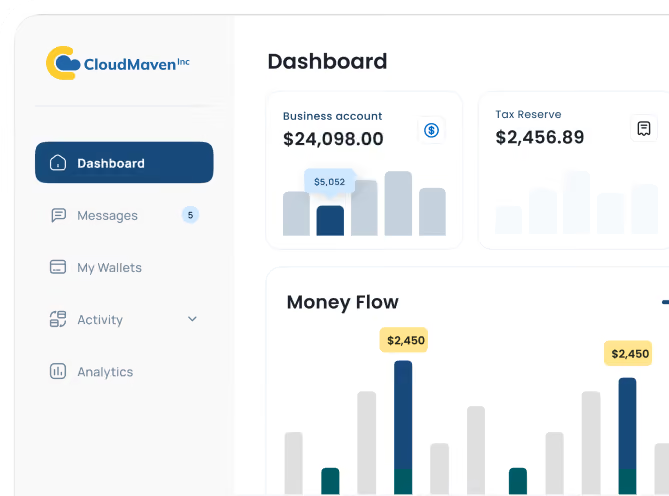


Document Insight Automatically Extracts Data From Scanned Documents and PDFs Into Salesforce
Stop spending hours sorting through files. With AI-powered document extraction, data is captured the moment a file is uploaded; no manual input, no delay, and far fewer mistakes. Whether it is invoices, ID cards, bank statements, tax returns, lease agreements, or insurance forms, the app reads and structures information from virtually any document type your business handles.

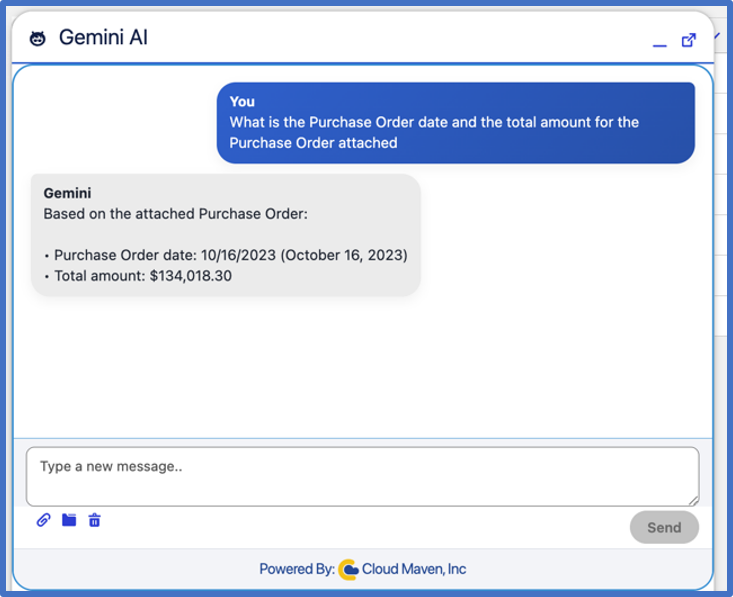
Automated Document Processing Eliminates Manual Data Entry for Any Format or Layout
Turn hours of data entry into seconds. With complete document processing automation, your team can capture, organize, and store key details without typing a single field. For example, a scanned bank statement uploaded to a loan application record is automatically read, parsed, and mapped to the correct income and balance fields within seconds, ready for review without anyone touching a keyboard.
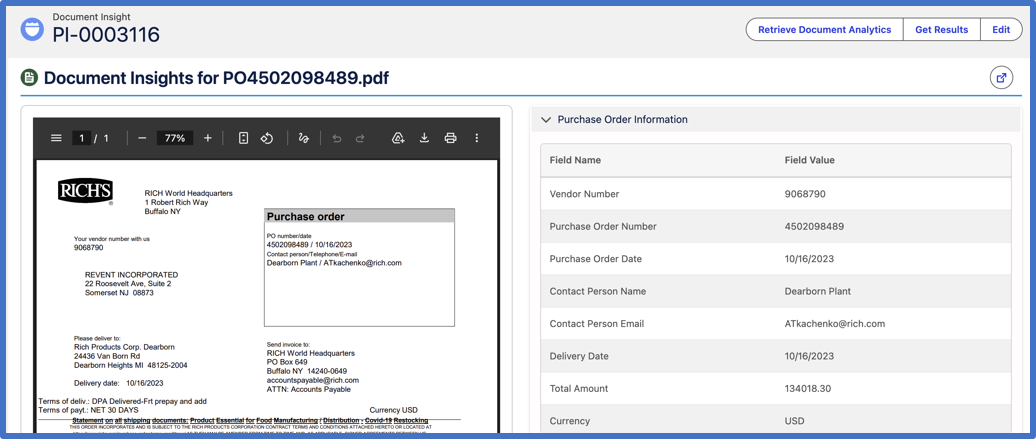
Extracted Data Maps Directly to Salesforce Records in One Centralized Workspace
Work without switching systems. Powered by trusted technology partners like Ocrolus, Lazarus, and MoneyThumb, our Salesforce intelligent document processing works directly inside your CRM, so information flows automatically from document to record.
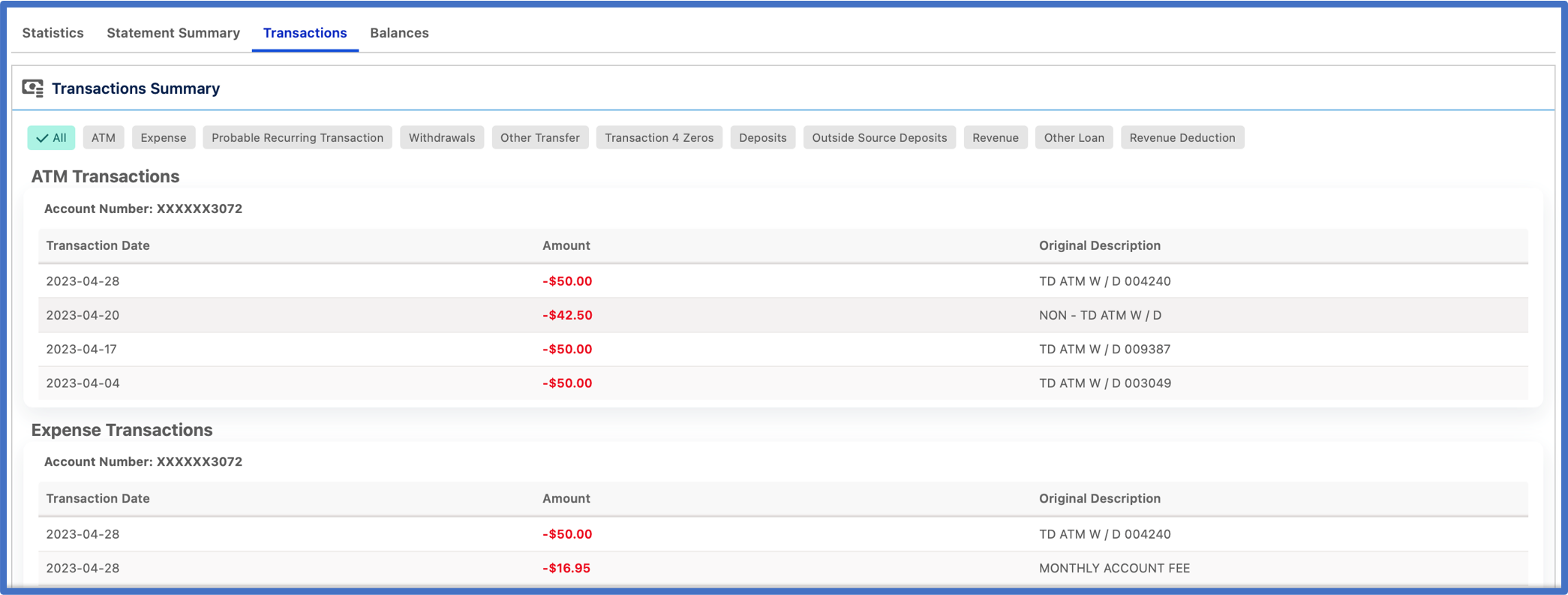
How Document Insight Achieves 97% Extraction Accuracy and 3x Faster Document Processing

97% Data Extraction Accuracy
With AI-driven document extraction, the system captures data with more than 97% accuracy, based on average results across our customer implementations, minimizing manual corrections and improving the reliability of every Salesforce record.

82% Reduction in Manual Data Entry
Compared to prior manual workflows, by using full document processing automation, teams can skip repetitive data entry altogether, saving hours each week and freeing time for real analytical work.

3X Faster Document Processing Speed
Based on customer data across deployments, real-time automated document processing captures and updates records within seconds of upload, keeping your operations quick, consistent, and always current.

100% Secure Salesforce Data Handling
Every document and extracted dataset stays within Salesforce. Based on customer-reported outcomes, organizations gain total control, complete visibility, and peace of mind across every intelligent document automation workflow.
Why Operations and Compliance Teams Choose Document Insight for Intelligent Document Automation
.png)

Advanced OCR and AI Accuracy
Powered by Ocrolus, Lazarus, and MoneyThumb, our AI engine uses advanced OCR to read and understand even the most complex document layouts. It captures and organizes key information with reliable precision, so your data extraction from documents stays accurate and ready to use inside Salesforce.

Enterprise-Grade Security and Compliance
Every file processed through automated document processing is protected with strong encryption, detailed access control, and a complete audit trail. You stay compliant with privacy standards while keeping sensitive business data safe.

Scalable and Customizable for Every Industry
Whether you are handling financial reports, medical records, contracts, or HR forms, document processing automation adapts easily. Configure templates, fields, and logic to fit your workflow, then scale effortlessly as your business grows.

Frequently Asked Questions
Which document types are supported?
Document Insight works with PDFs, images, scans, and digital files in multiple formats and languages. It processes invoices, contracts, applications, and more through automated document processing, continuously adapting to new layouts for consistent accuracy.
How accurate is the data extraction?
Our AI-powered document extraction achieves over 95% accuracy for most document types. The system learns from each upload, improving its data extraction from documents over time to deliver consistently clean, structured data.
How quickly can documents be processed?
Document processing automation is completed in real time, typically within seconds of document upload. Teams can take quick action on extracted document data without delays caused by the manual review process.
Does it work with existing Salesforce workflows?
Yes, Document Insight integrates with existing Salesforce intelligent document processing workflows, automation, and approval processes. You can trigger automated document processing from record updates, uploads, or email attachments without leaving Salesforce.
Can I customize the data extraction fields?
Yes, you can fully customize field mapping and extraction rules to align with your unique business processes. This flexibility ensures that the extracted data fits directly into your Salesforce records, supporting end-to-end intelligent document automation.
Which technology providers power Document Insight?
Document Insight is powered by trusted, established IDP (Intelligent Document Processing) providers, including Ocrolus, Lazarus, and MoneyThumb.
These partners bring proven expertise in OCR accuracy, data validation, and document intelligence, ensuring that every extraction inside Document Insight meets high standards of precision and reliability before the data ever reaches your Salesforce records.
Learn. Build. Grow.

October 12, 2026

September 14, 2026
August 24, 2026