Salesforce Document Generation and eSignature
Generate, Sign, and Automate Documents in Salesforce
Automate document creation, electronic signatures, and approval workflows directly from Salesforce with Document Generation and eSignature solution. Generate personalized PDFs, proposals, contracts, and agreements using Salesforce data, send documents for secure electronic or digital signatures, and track every step in real time without leaving Salesforce.
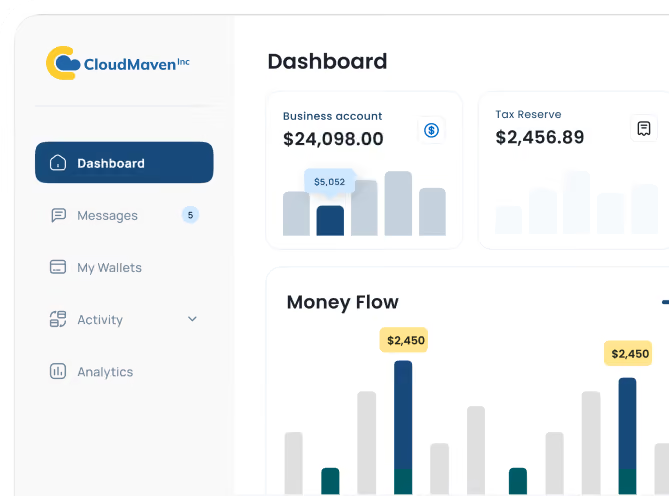
Track Document Status and Signatures in Salesforce
Monitor every stage of document generation, delivery, signing, and completion directly within Salesforce. Real-time document tracking and reporting help teams identify pending signatures, follow up on delays, and maintain visibility across the document lifecycle.

Explore our DocGen & eSign Documentation for setup instructions.

Merge, Split, and Manage Documents in Salesforce
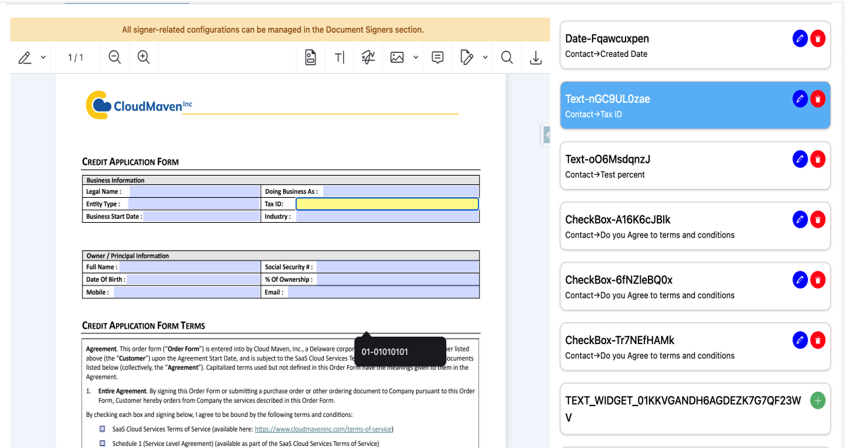
Prepare and manage documents without leaving Salesforce. Preview generated PDFs, make supported document modifications, merge multiple files into one document, or split documents into separate files before sending them for signature. Use the PDF Form Creator to add interactive signature, initials, text, checkbox, date, and dropdown fields, and assign applicable fields to individual signers. Send an existing Salesforce File or an uploaded document for signature without building a predefined template.

Salesforce eSignature and Digital Signing
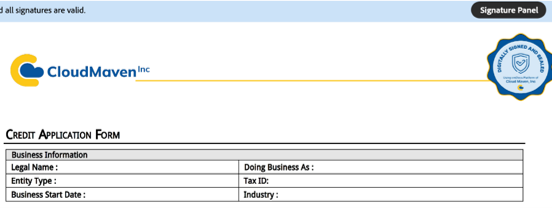
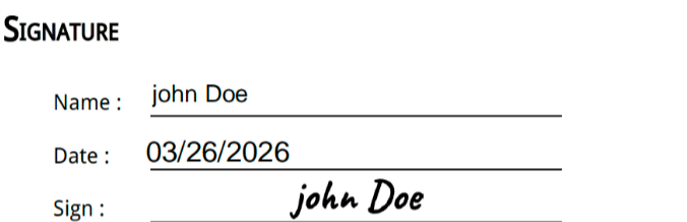
Send documents for electronic signature, configure sequential signing, and track signer activity directly in Salesforce. Our solution supports electronic and digital signature workflows, with signing certificates and audit trails that help teams manage agreements securely and maintain a record of completed actions.
Salesforce-Native Document Storage and Security
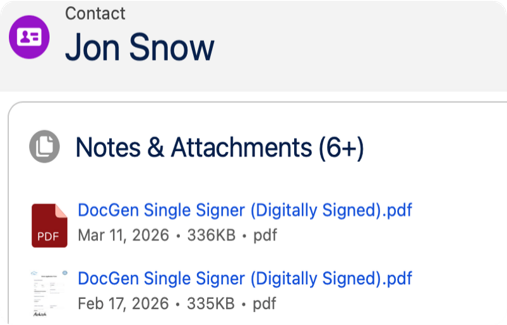
Manage generated and signed documents within Salesforce records by default and governed by the permissions you already use such as field-level security, sharing rules, and user access. For organizations requiring specialized electronic document custody, integrate with Wolters Kluwer eOriginal eVault as an optional external vaulting solution.
Generate PDFs, Proposals, and Contracts from Salesforce Data
Use Cloud Maven, Inc's Salesforce PDF generator and Word document templates to create proposals, contracts, agreements, and forms using data from Salesforce records. Trigger document creation or signature workflows using Salesforce Flow, Apex, and supported automation methods. Automatically populate document fields, reduce repetitive copy-and-paste work, and generate consistent business documents.
How Document Generation and eSignature Speeds Up Turnaround, Eliminates Errors, and Boosts Productivity

83% Faster Document Generation
Generate and send documents automatically in seconds compared to prior manual workflows. Track every document in real-time and catch delays before they happen.
100% Data Accuracy
With automated document generation, every field pulls straight from Salesforce data. That means fewer typos, no manual copy-paste, and always-accurate documents, compared to prior manual workflows.

5X Increase in Productivity
Teams using Salesforce document management and automated document generation finish creation, routing, and signing tasks up to five times faster, based on average results across our customer implementations.
100% Salesforce Data Residency
Every Salesforce document stays inside your CRM. Nothing leaves your environment, giving you total control over compliance, privacy, and data ownership
Why Compliance and Legal Teams Choose Document Generation and eSignature for Secure Document Workflows


Legally Recognized Signing Certificates
When a document is signed, a digital certificate is generated that shows who signed, when, and from where. Everything stays in Salesforce, making compliance and record-keeping simple.

Sensitive Data Masking and Redaction
Limit unnecessary exposure of sensitive information. Protect confidential document information using supported masking, redaction, and signer-specific access controls.

Real-Time Compliance Tracking
Use Salesforce reporting to track documents generated, signature requests sent, pending and completed signatures, reminder activity, and document turnaround times.

Workflow Dashboards and Performance Insights
With clear dashboards and reporting built into Salesforce document generation tools, it’s easy to see what’s moving, what’s pending, and where things can improve, without digging through folders.

OTP and MFA Authentication
Protect sensitive Salesforce documents with multi-factor authentication and OTP-based (one-time password) access. Only verified users can open or sign critical files, reducing the risk of unauthorized actions.

Secure Document Vaulting for Compliance
Powered by Wolters Kluwer’s eVault platform, you can store original digital documents in eVault (optional) maintained by eOriginal while meeting standards like ESIGN, UETA, and UCC Article 9.


Frequently Asked Questions
Which document types are supported?
You can create documents in Salesforce and manage just about any file you use daily such as Word, PDF, or HTML templates. Proposals, invoices, forms, and agreements are easily generated through Salesforce document generation and kept safe with built-in Salesforce document management features.
Can multiple people sign the same document?
Yes, our Document Generation and eSignature solution supports multiple signers with configurable sequential signing. Recipients can be assigned dynamically using Salesforce records or configured manually. Signing requests are delivered in the defined order, and each signer completes their step before the next recipient is notified.
How secure is the signing process?
Your data and signatures stay protected. The Salesforce e-signature process follows strict global standards such as ESIGN (Electronic Signatures in Global and National Commerce Act), UETA (Uniform Electronic Transactions Act), and eIDAS (Electronic Identification, Authentication and Trust Services).
This ensures clarity when comparing esignature vs digital signature, while keeping every signature legally binding, fully encrypted, and automatically stored in Salesforce with time and date stamps for complete traceability.
Does DocGen & eSign support secure eVaulting?
Yes, the solution offers optional integration with Wolters Kluwer eOriginal eVault for eligible electronically executed documents. Yous can use this external service to support specialized electronic document custody and authoritative-copy management. eVaulting requires additional configuration and may involve separate service requirements.
What types of organizations benefit from using document generation in Salesforce?
Any organization that handles a high volume of documents benefits especially in industries like finance, lending, insurance, healthcare, and professional services. Using document generation in Salesforce combined with Salesforce document management, teams can automate contract creation, e-signing, storage, and compliance tracking directly within their CRM.
Can automated reminders be sent to signers?
Yes, Document Generation and eSignature supports manual reminders and scheduled automated reminder emails for pending signatures. Administrators can configure reminder templates and scheduled batch processing to follow up with recipients who have not completed their signing actions.
What is the difference between eSignature and digital signature in Salesforce?
Electronic signatures are used to capture consent and approval digitally, while digital signatures add encrypted identity verification and tamper protection for higher-security or regulated workflows.
Our Salesforce-native signing solution supports both depending on compliance and business requirements.
Does document generation work with Salesforce Flow and Apex?
Yes, Document generation and eSignature supports Salesforce document automation workflows using Flow, Apex, Process Builder, or custom logic. This allows teams to automatically generate agreements, proposals, invoices, or onboarding documents directly from Salesforce records.
How much does Salesforce Document Generation and eSignature cost?
Our Document Generation and eSignature solution starts at $20 per user per month under the Default Plan. A 15-day free trial is available to explore its features before purchasing. Special discounts are also available for nonprofit organizations.
Can documents be generated from custom Salesforce objects?
Yes, the Document Generation and eSignature solution supports document generation from standard and custom Salesforce objects. Administrators can configure templates and field mappings to retrieve the appropriate Salesforce data and generate documents directly from eligible records.
Can I send an existing document for signature from Salesforce without creating a template?
Yes, you can upload an existing document or select a Salesforce File and send it for electronic signature without creating a predefined document template. Add recipients, define the signing order, insert required fields, and send the document for signing directly from a supported Salesforce record.
Learn. Build. Grow.
August 24, 2026
August 17, 2026
August 10, 2026