IRS Verification In Salesforce
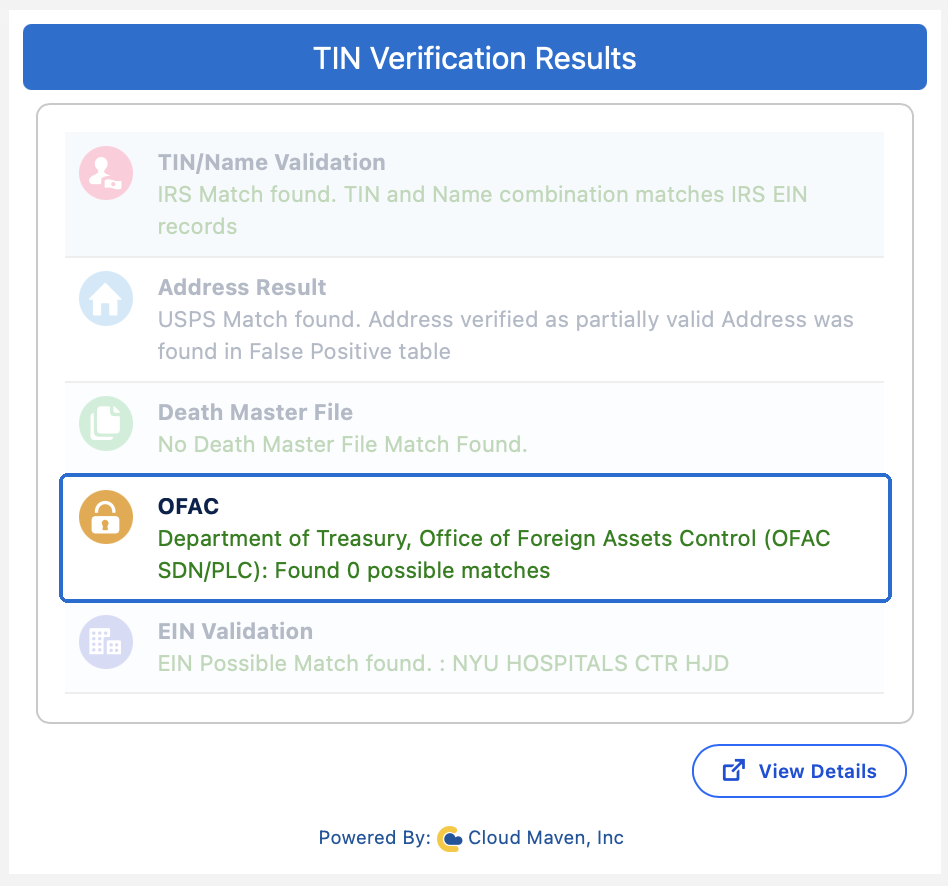
Verify the taxpayer information provided by customers, vendors, contractors, and borrowers directly within Salesforce. Automate IRS TIN verification and match taxpayer names with Employer Identification Numbers (EINs) and Social Security Numbers (SSNs) through our TINCheck integration.

Instant IRS-Backed SSN, EIN & TIN Verification in Salesforce
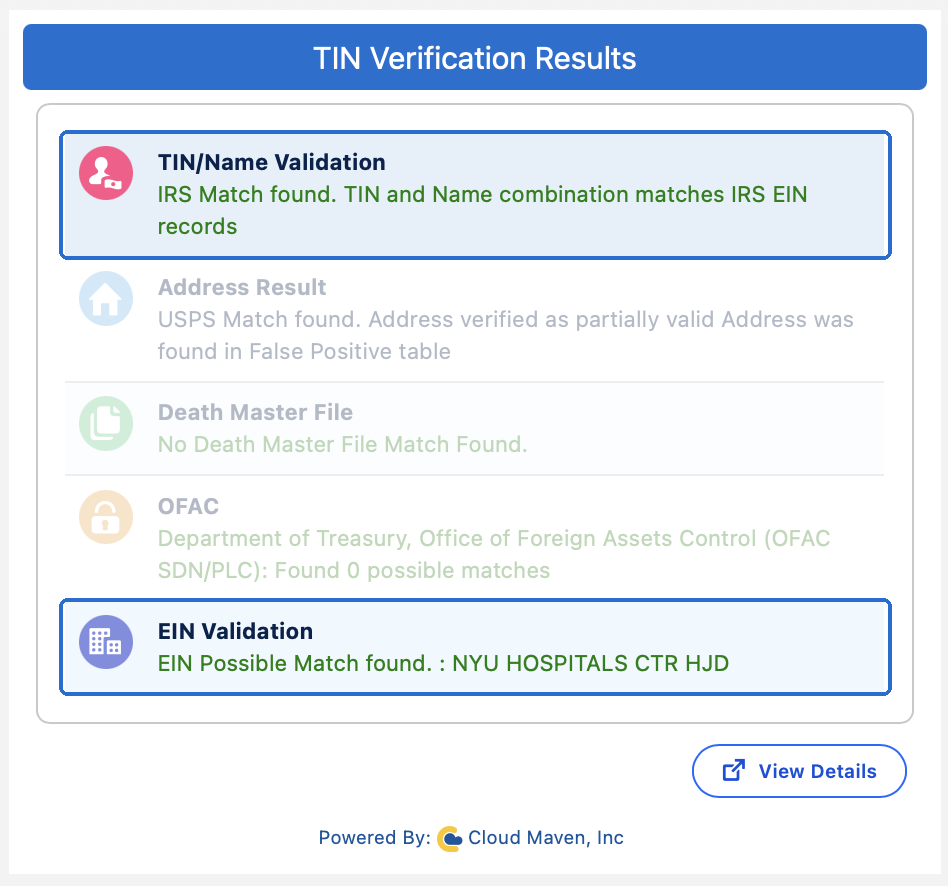
Match Taxpayer Names with EINs and SSNs
Check whether a taxpayer's name and Taxpayer Identification Number (TIN) match IRS records before moving forward with an application, vendor setup, or payment. Our TIN matching software supports business EINs and individual SSNs, helping your team identify incorrect information before it causes reporting errors or onboarding delays.
- Validate name and EIN or SSN combinations against IRS records
- Identify mismatched, invalid, or unissued tax identification numbers
- View verification results directly within Salesforce
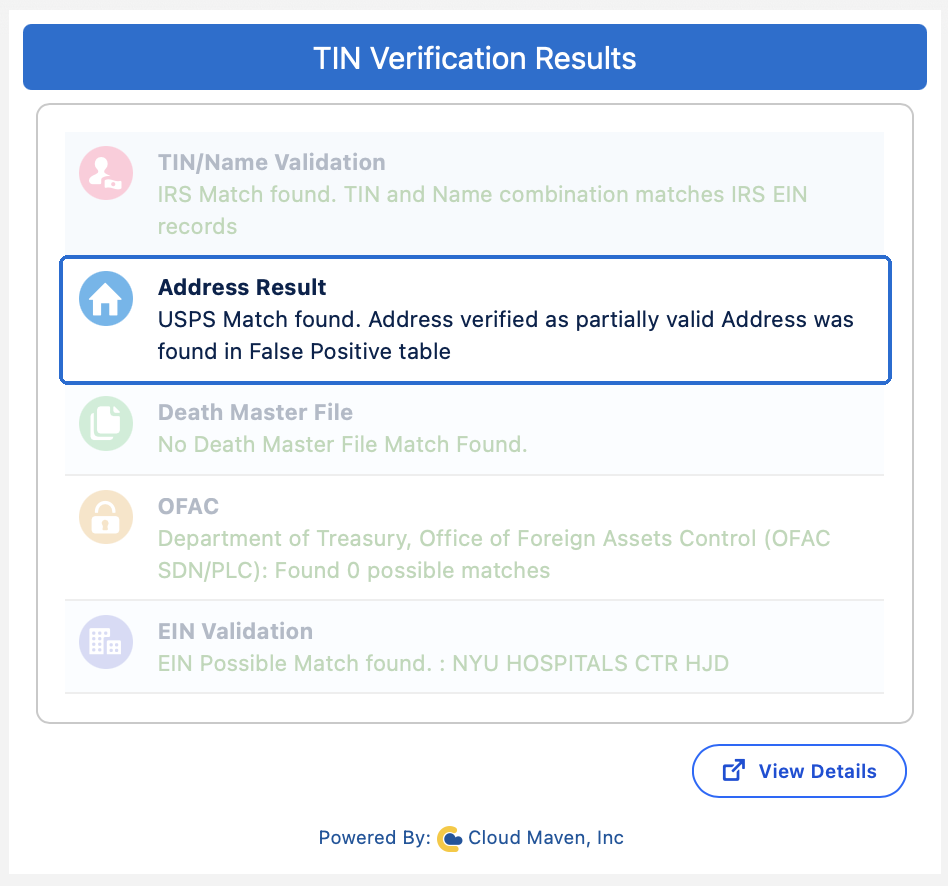
Validate Mailing Addresses Alongside Tax-ID Checks
Our address verification checks mailing addresses against USPS data alongside SSN, EIN, or TIN details. By bringing these checks together in a single verification workflow, you can catch address errors and inconsistencies before they lead to bigger issues.
- Validate street addresses, cities, states, and ZIP Codes against USPS data
- Standardize address details for more consistent records
- Reduce processing delays caused by inaccurate mailing information
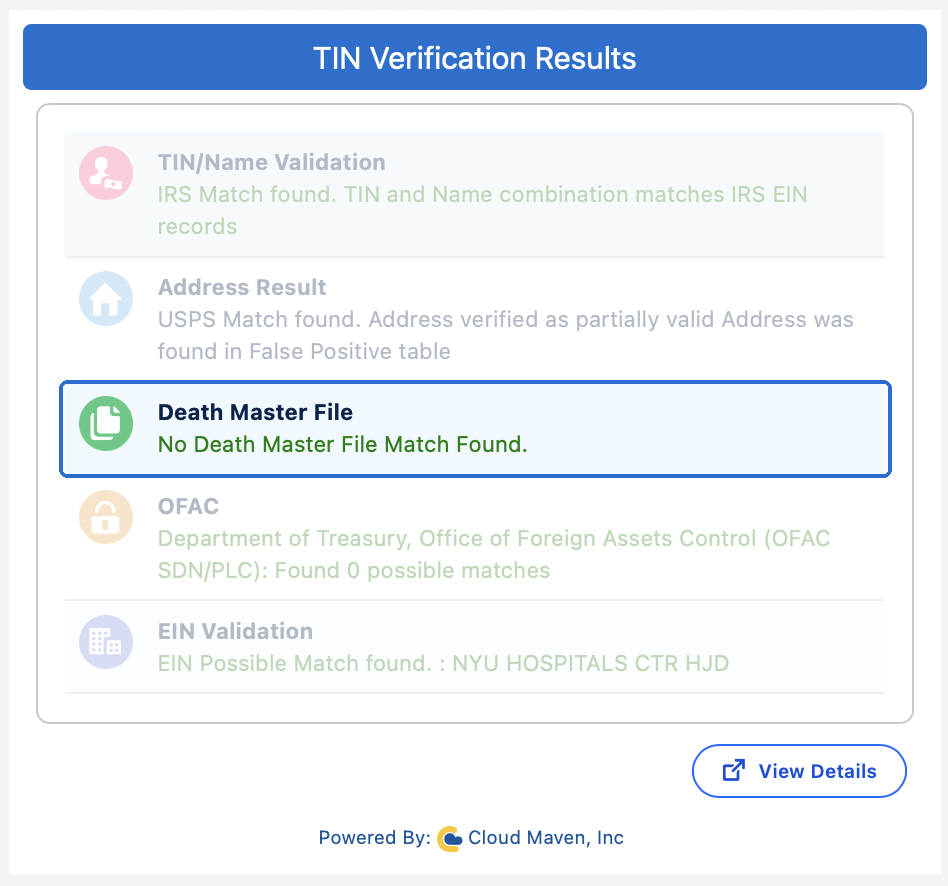
Screen SSNs Against the Death Master File
One of the easiest ways fraud slips through is when someone uses an SSN that actually belongs to a deceased individual. The DMF (Death Master File) check handles it instantly. This helps your team flag SSNs that require further investigation before proceeding with an application, registration, or transaction.
- Check submitted SSNs against Death Master File records
- Identify possible matches involving deceased individuals
- Support exception reviews before proceeding with business transactions
Screen Individuals and Businesses Against OFAC Watchlists
Add sanctions screening to your tax ID verification process to identify individuals or businesses that may require further compliance review. Check names against OFAC and supported watchlists through the connected verification service, with potential matches available for investigation.
- Screen individuals and businesses against OFAC sanctions lists
- Review potential watchlist matches separately from TIN matching results
- Combine tax ID checks with sanctions screening in a single verification workflow
Measurable Benefits of Automated TIN Verification
23%Fewer Applicant Drop-Offs
Smooth IRS, SSN, EIN, and TIN checks inside Salesforce reduce friction during onboarding, keeping more applicants moving through the process.
42%Less Manual Verification Work
Automated verification eliminates repetitive checks, saving your team hours every week and reducing errors caused by copy-paste workflows.
18%Fewer False Flags
Integrated IRS verification improves data accuracy, helping you avoid unnecessary delays caused by incorrectly flagged customer identities.
33%Improved Audit Readiness
Every verification is logged, time-stamped, and stored in Salesforce, simplifying audits and strengthening your overall compliance documentation.
Why Teams Choose TIN Verification in Salesforce
Verify Taxpayer Information Within Salesforce
Run tax ID checks from your existing Salesforce workflow instead of maintaining a separate verification process. Users can access the information they need while working with customers, vendors, and borrowers.
Integrate Verification into Existing Approvals
Use verification responses within Salesforce automations, tasks, and approval processes. Your team can review exceptions, request corrections, and manage the next step according to your business requirements.
Connect Tax ID Verification with Business Due Diligence
Extend your verification process beyond taxpayer information when evaluating businesses. Combine TIN matching with Business Credit Checker for commercial credit information or SOS Verification for business registration and legal-status checks.
Learn. Build. Grow.


Frequently Asked Questions
Why do companies use IRS Verification?
Companies use IRS verification to confirm whether submitted taxpayer names and Taxpayer Identification Numbers (TINs), including EINs and SSNs, match IRS records. It helps identify incorrect taxpayer information, reduce tax reporting errors, and maintain accurate records during customer, vendor, and contractor onboarding. With our solution, businesses can automate these checks directly within Salesforce.
What is the difference between a TIN, EIN, and SSN?
A Taxpayer Identification Number (TIN) is a general term for an identification number used for U.S. tax purposes. An Employer Identification Number (EIN) is commonly used by businesses, while a Social Security Number (SSN) is issued to eligible individuals. Cloud Maven, Inc supports name and tax ID matching for EINs and SSNs.
How does TIN verification work for businesses?
TIN verification checks whether the taxpayer name and Taxpayer Identification Number submitted by an individual or business match IRS records. The process helps businesses identify discrepancies before using taxpayer information for onboarding, payments, or reporting. Here’s what usually happens behind the scenes:
- The TIN is compared to IRS data
- Any mismatch or error gets flagged
- The business avoids approving the wrong person
This saves teams from dealing with rejected tax filings or identity issues later.
Why is EIN verification important for onboarding new businesses?
When someone claims to represent a business, you want to be sure that business actually exists. EIN verification helps with that. It checks whether the EIN belongs to a real, IRS-registered entity and if the name, address, and basic details line up.
Most fraud attempts fall apart at this stage because fake or copied EINs don’t match the IRS records. Doing this inside Salesforce also helps teams avoid jumping between tabs or forgetting to document the verification step.
What makes SSN checks different from TIN verification?
A Social Security Number is technically a type of TIN, but an SSN check digs deeper. A typical SSN verification includes confirming the number with SSA data, making sure the format is legitimate, and checking it against the Death Master File so you are not dealing with a recycled or stolen identity.
TIN verification may stop at “is this number valid,” while an SSN check asks, “does this number actually belong to this person, right now?”
Can Salesforce automate IRS, TIN, and EIN verification?
Yes, and that’s where things get much easier for teams. Instead of switching between IRS portals, spreadsheets, and watchlist sites, Salesforce can pull everything into one automated flow. A typical automated setup might:
- Run IRS identity verification instantly
- Validate TIN numbers, SSNs, and EINs
- Log results automatically for compliance
Automating these steps reduces manual data entry and administrative work, allowing teams to focus on reviewing exceptions.
Does TIN verification confirm a person's identity or a business's legal status?
No. A successful name or TIN match confirms the submitted combination matches the relevant records. But it does not independently prove who submitted the information or whether a business is currently active.
For additional checks, Cloud Maven, Inc offers Identity Verification and KYC/KYB Verification.
How much does IRS TIN, EIN, and SSN verification cost in Salesforce?
IRS Verification has a monthly subscription fee of $250, along with a one-time setup fee of $2,500. Data costs for verification requests apply separately. Through the TINCheck integration, businesses can automate taxpayer name and tax ID matching within Salesforce, reducing manual verification efforts and supporting compliance workflows.
What is the implementation timeline for IRS Verification in Salesforce?
A standard IRS Verification implementation can be completed within 48 hours. The setup process involves connecting TINCheck, configuring relevant Salesforce fields, and testing verification workflows. Once configured, your team can perform TIN, EIN, and SSN verification checks directly from Salesforce. Custom workflow requirements may extend the implementation timeline.